Investigating a Slow Internet Connection
A real-world troubleshooting narrative that narrows intermittent network slowness across proxies, DNS, routing, and Wi-Fi.
Common causes of a slow internet connection include:
- A poor-quality router. An underpowered or overheating processor, or a weak antenna signal, can slow down data transfer.
- A problem with the ISP’s physical line. This is one of the hardest causes to diagnose; I once encountered a partially broken cable entering the premises.
- An ISP service problem, such as a temporary backbone outage, slow DNS responses, or HTTP hijacking.
- An ISP with consistently poor service quality.
- A local system-wide proxy that was left enabled, slowing down domestic traffic. The traffic could also be passing through an unknown transparent proxy.
One evening, my computer’s connection became extremely slow. The network monitor in the menu bar showed the following speed:
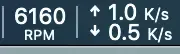
Occasionally, opening a web page would make the speed jump to several MB/s. My phone was not experiencing the same slowdown, so I suspected a problem with the computer.
I worked through these checks:
-
Disabled every proxy, including Shadowsocks and environment variables such as
http_proxyin the terminal. -
Restarted the network interface. This step matters: some applications, including QQ, may fail to return to a direct connection after using a system-wide proxy.
Terminal window sudo ifconfig en0 downsudo ifconfig en0 upNo improvement.
-
Restarted the router and adjusted the antenna direction. No improvement.
-
Restarted the computer. The problem remained. The speed continued to fluctuate, but it was consistently fast for the brief moment when a page opened. At this point, I began to suspect DNS.
Solution
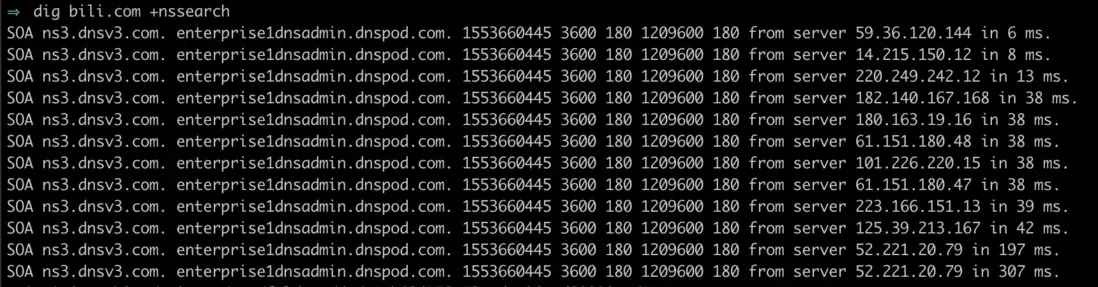
I first used dig to record the lookup time when relying only on the router’s DNS resolver:
I then added two higher-priority DNS servers:
223.5.5.5119.29.29.29The next test produced better lookup times:
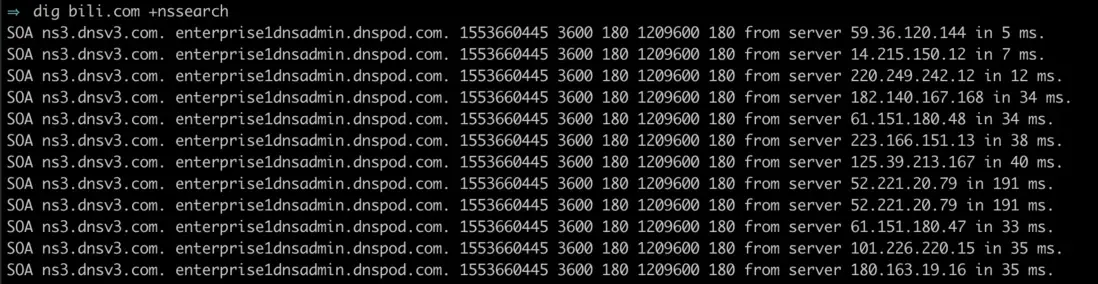
Both the fastest and slowest responses improved, and the connection returned to an acceptable speed.

Follow-up
The main cause turned out to be an obstructed laptop and the resulting weak Wi-Fi signal. The router’s DNS resolver was genuinely slow as well.